


Follow a cross-chain movement with a bridge transaction tracker workflow in Bluwhale. Cross-Chain Portfolio brings AI wallet analysis to the addresses, networks and assets involved in your transfer. Keep the sending wallet and destination network together, then explore how the received asset fits into your holdings. Bluwhale connects that focused review with a wider financial experience, helping you move from one operation to a clearer view of your crypto activity.
For a bridge transaction tracker, start in Bluwhale’s Cross-Chain Portfolio agent with the wallet address, sending network, destination network and asset involved. Follow the part of the operation that matters to you: the source wallet, the receiving account or the holdings after the move. The agent’s wallet-analysis workflow gives your research a consistent structure, so you can explore the transfer and continue into a broader portfolio view.
Sign in to Bluwhale and open Cross-Chain Portfolio. Keep the transaction reference and bridge details nearby as context for your wallet conversation.
Bridge transaction tracker: connect both networks
A bridge operation brings two networks together. Use the bridge sending transaction as your source-side reference and the bridge receiving transaction as your destination-side reference. Keeping both sides in view makes the operation easier to follow. In Bluwhale, pair each public address with its network and use the destination wallet to continue the cross-chain review. This keeps the transfer tied to the holdings you want to understand.
Perhaps you moved a token to use an application on another chain, or reorganized assets in a destination wallet. Use that objective to focus your Bluwhale analysis. Explore the wallet after the movement, ask for an explanation of the network context, or continue with the assets you now hold. In this bridge transaction tracker workflow, keep the transaction reference alongside those details so the operation stays clear.
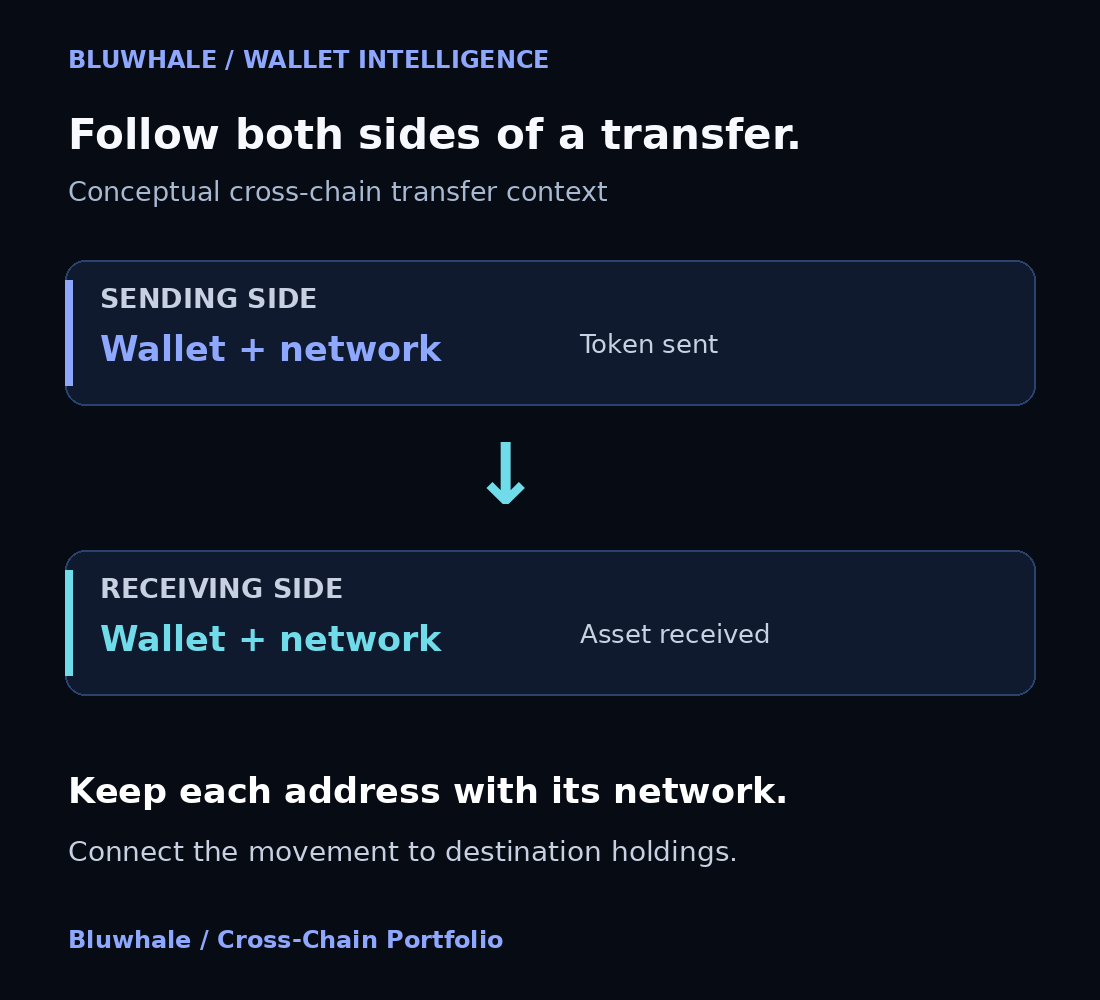
A bridge transaction tracker starts with two records for one operation. The bridge sending transaction identifies the source-side movement; the bridge receiving transaction identifies the destination-side movement. Keep the token and network with each record when reading cross-chain transfer status. In Bluwhale, use those references to focus the wallet conversation on the movement you mean and the holdings you want to understand afterward.
Make the destination part of the picture
For a bridge transaction tracker, the destination network matters because balances are recorded within their own network context. The same address format can appear on several chains while referring to separate balances. Bluwhale’s address-and-network workflow keeps that distinction easy to manage. Start with the network you want to explore, then bring the receiving wallet into the conversation when you turn to the destination side of the transfer.
Follow the operation through to the financial outcome you care about. Explore the receiving wallet, review the asset on its destination network or connect the movement with a portfolio question. Keep the route’s page available for cross-chain transfer status and use Bluwhale for wallet and cross-chain financial context. Together, those views help you understand both the movement and where the value is held afterward.
Understand the asset and amount that arrived
Cross-chain transfers can involve the same asset on a different network or a route that changes the asset along the way. Frame your bridge transaction tracker question in Bluwhale around the token sent, the token received and the networks involved. Asset names are easier to interpret when the network stays attached to them. This helps you frame a clear question about what you hold after the movement.
In a bridge transaction tracker, keep the amounts and charges involved with the transfer. Compare the quantity sent with the quantity received and keep the route’s fee details beside the transfer. For example, an illustrative transfer of 100 units that delivers 99.5 units has a difference of 0.5 units; the route details explain how that difference arose. With the operation in view, you can use Bluwhale to continue exploring the destination wallet and the role of those holdings in your wider crypto picture.
Put the transfer into wallet context
The bridge operation explains a movement between networks. The wallet view brings you back to the holdings associated with the address you are exploring. Use the Bluwhale crypto wallet tracker as the entry to that wider context. Bring the destination network into the conversation, then focus on the received asset or the next portfolio question that matters to you.
Moving value between your own wallets changes where it is held. Keeping the source and destination together helps you describe that change clearly, especially when you organize activity across several networks. Bluwhale connects wallet analysis with a financial profile that brings banks, wallets and exchange accounts together. Use the transfer review to understand the movement, then explore the broader crypto portfolio when you need more context.
Continue your cross-chain research with Bluwhale
Start your bridge transaction tracker review with the transfer you want to understand. Open Cross-Chain Portfolio, enter the public address and network, and focus on the received asset or destination wallet. Follow up with another address when it helps complete your research. Bluwhale keeps wallet analysis connected to your financial objective, making it easier to carry the review from a specific movement into a wider view of your holdings.
Your cross-chain transfer can be a practical way into Bluwhale’s unified financial experience. Explore the wallets involved, understand the network context and connect the received asset with your portfolio research. With specialist agents and a broader financial profile in the same ecosystem, Bluwhale gives you a clear next step after the movement itself.
Explore your wallet with Bluwhale
Bridge transaction tracker questions
How do I start reviewing a cross-chain transfer with Bluwhale?
Open Cross-Chain Portfolio in Bluwhale and sign in to begin the bridge transaction tracker review. Bring the wallet address, sending network, destination network and the transfer reference. Use the agent conversation to explore the source wallet, receiving wallet or holdings after the movement, keeping the operation’s identity with each follow-up so the financial context stays clear.
Why can a bridge transfer’s received amount differ from the amount sent?
Receiving amounts can differ because the route includes charges or converts one asset into another. For a bridge transaction tracker review in Bluwhale, keep the quantities sent and received with their network and token labels. Use the route details to explain the charges, then continue in Cross-Chain Portfolio with the receiving wallet and the role of those assets in your wider holdings.
Why is the destination network important for a bridge transfer?
The destination network identifies the records and balances for the receiving side of the transfer. Bluwhale’s wallet workflow pairs a public address with its network, because the same address format can refer to separate records on different chains. Keep that destination context attached to the asset you received so your analysis stays focused on the holdings involved in the operation you are reviewing.
What inputs should I bring to a bridge transaction tracker in Bluwhale?
Bring the sending and receiving wallet addresses, the networks involved, the asset, and references for the bridge sending transaction and bridge receiving transaction. Bluwhale uses the address-and-network context for wallet analysis, while those operation references keep the conversation tied to the transfer you mean. Add the token quantities or route details when your question concerns the amount received or where the holding sits afterward.
How should I connect transfer status with wallet analysis in Bluwhale?
Use the identified route’s transaction-status page for cross-chain transfer status, then use Bluwhale to explore the related wallets and financial context. For a bridge transaction tracker, the source record and destination record describe two ends of one operation. Carry those references into the agent conversation when asking about the receiving account, network or assets held after the move.
Where can I continue in Bluwhale after reviewing a cross-chain transfer?
Continue into the Bluwhale crypto wallet tracker or your financial dashboard when the question expands beyond the transfer. The bridge transaction tracker review gives the movement a clear starting point; Bluwhale connects that focused analysis with a broader profile containing wallet, bank and exchange information. Open Cross-Chain Portfolio for the address you want to explore next, then follow the financial task that matters to you.